
Preparing your download
1 Click Access Extension for Chrome is being verified and prepared...
Choose an Option
What is 1 Click Access Extension for Chrome?
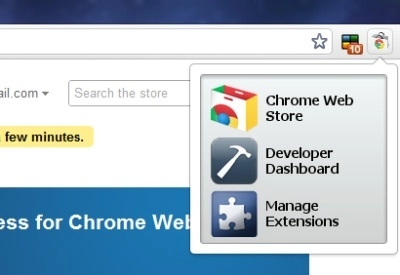
Please go to the option page and choose from the following: 1. Chrome Web Store 2. Developer Dashboard 3. Extensions window (the page where you manage your installed extensions) 4. A popup that contains all three links above How to change options: right click on the icon and go to "options" to change this setting. To manage your open tabs, check this out: https://chrome.google.com/webstore/detail/ackpfhlmgjdjlohhjmbacaajbmkkklnp Changelog: Version 1.1: added an option page. Version 1.2: added other icons. when you change options in the option page the icon will change as well. Version 1.24: made changes for compliances with branding guidelines Version 2.0: An option to have a popup that contains all three links when the icon is clicked; multi-language support Version 2.1: Substitute "extension gallery" for "developer dashboard", since the gallery is obsolete
How Download Works
Go to the Softpas website, press the 'Downloads' button, and pick the app you want to download and install—easy and fast!






